Features
Try how ArmorPass works
Set up a FastPass, book a common area, and send a resident request. Each simulator responds for real: you decide, the product reacts.
Feature catalog
Everything your building, school, or company needs
ArmorPass covers complete access control, not just scanning a QR code. Every feature came from a real administration, security, or community problem.
Visitor QR codes
The resident or employee generates a single-use QR code for their visitor. Security scans it at the entrance and the access is authorized and logged within seconds.
Real-time notifications
When a visitor arrives, the host gets a push notification instantly. No one has to walk down to the front desk to ask if their guest has arrived.
Common area booking
Court, gym, or event hall get booked right from the phone. Each area has its own rule: instant confirmation or admin approval before it's confirmed.
FastPass for frequent visitors
Babysitters, coaches, or recurring vendors get a permanent pass configured with specific days and time windows. Every entry is still logged one by one.
Tracked resident requests
Requests, complaints, claims, and suggestions get sent from the app with a case number, date, and visible status. Neither the resident nor the admin loses track of a case.
Admin-resident chat
A direct channel between the administration and the community, with the option to turn it on as a public chat or keep it private between residents and authorized staff.
Notices and announcements
The administration posts official notices, meeting minutes, and announcements inside the same app residents already use, no external messaging groups required.
Payment receipts
Residents upload their maintenance payment receipt from their phone and the administration validates it without anyone having to show up at the office in person.
Access log and audit trail
Every entry and exit gets a timestamp, photo, and the person who authorized it. If anything needs review later, the full history is one filter away.
Photo-verified school pickup
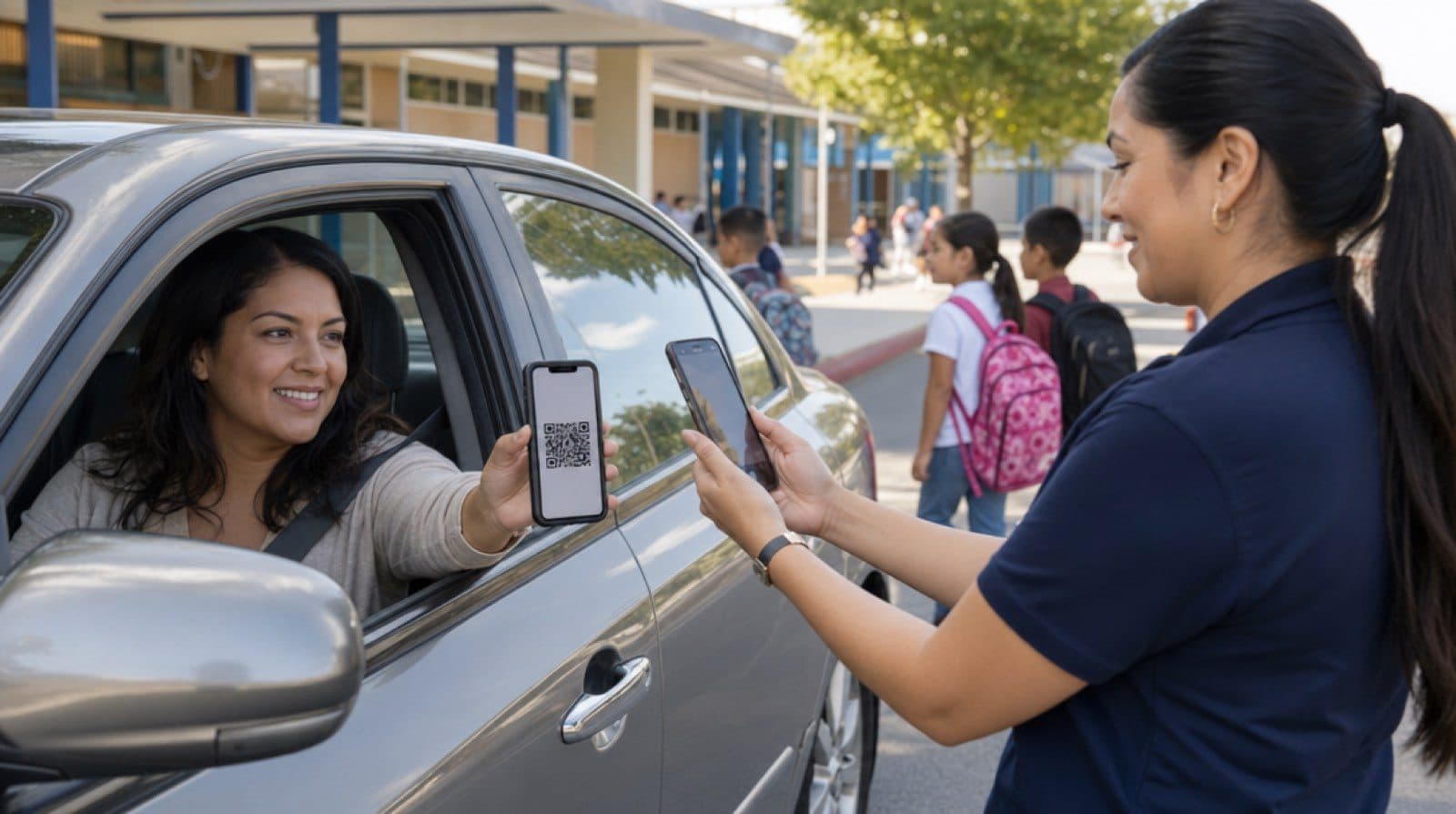
When a parent can't pick up their child, they generate a QR code with a photo of the authorized person. The school scans it, matches the face, and only releases the child if it matches.
FastPass
A permanent pass for regular visitors
Set who, which days, and what time window. The pass gets reused; every entry is still logged one by one.
Carmen|Mon y Wed y Fri|Morning, 8 to 12|Active
One pass for recurring visitors. Every entry is still logged, one by one.
Common areas
Book a common area from the app
Court, gym, or event hall: pick a day and time, and get confirmation right away.
Sat|Court|10:00|Confirmed
Every area has its own rule: instant confirmation or admin approval. You decide when you set it up.
Resident requests
Every request has a number and a status
Requests, complaints, claims, and suggestions with visible tracking from start to finish.
PQRS-0482
The light in parking spot 2 is broken
Light fixed. Thanks for reporting it.
PQRS-0482|Request|Received 9:14 am|Resolved 4:40 pm
Every request has a number, a date, and a status. Neither residents nor admins lose track.
From theory to practice
Every feature solves a problem you already know
These aren't standalone features: each one answers a situation that today gets handled with a notebook, a group chat, or a call to the front desk.
"Who authorized this person?"
Without a digital record, no one can answer that question with certainty days later. With visitor QR codes and the audit trail, every access ties back to who authorized it and when.
Applies to: Residential
"I can't pick up my child today"
Photo-verified school pickup keeps a child from leaving with someone unauthorized. The school checks the face against the QR before releasing them, no paper note required.
Applies to: Schools
Vendors who show up every week
Manual visitor and vendor logs get lost or filled out wrong. FastPass gives every recurring vendor a pass with clear rules, and each individual entry still gets logged.
Applies to: Corporate
Complaints no one knows got resolved
A phone complaint gets forgotten. With tracked resident requests, the complaint has a case number, a visible status, and a response from the administration, so the resident knows exactly where it stands.
Applies to: Residential
Frequently asked questions about features
What exactly is FastPass?
It's a permanent pass for someone who visits frequently, like a babysitter, coach, or vendor. The administration or resident sets who, which days, and what time window they can enter. The pass gets reused, but every individual entry is still logged separately.
Can a resident book a common area without going through the administration?
It depends on how each area is set up. Some areas confirm automatically when booked; others require admin approval before they're locked in. That rule is set per area, not the same across the whole building.
How does photo-verified school pickup work?
The parent or guardian generates a QR code that includes a photo of the person authorized to pick up the student. At school, staff scan the QR and match the face before releasing the child, with no paper authorization needed.
What happens to a complaint after it's submitted?
Every submission gets a case number and moves through visible statuses (received, in progress, resolved). The resident sees the progress in real time, and the administration can respond directly within the same case.
Is the chat between administration and residents public or private?
It's configurable. The administration can turn it on as a public channel where residents see each other, or keep it off so communication only happens directly between each resident and authorized staff.
Are payment receipts validated automatically?
The resident uploads the receipt from the app and the administration reviews and approves it from their dashboard. There's no automatic bank validation; the goal is to remove physical paperwork and centralize the maintenance payment record.
Go deeper
Related guides
Practical guides about access control, from the concept to the implementation.
Apartment Building Security Systems: A Manager's Guide
What a building-wide apartment security system covers, its core components, and how to evaluate what your property already has in place.
Read guideCloud-Based Access Control Systems: The Complete Guide
What a cloud-based access control system is, how it differs from on-premise controllers, and what to check before choosing one for your property.
Read guideCloud-Based Visitor Management: The Complete Guide
What a cloud-based visitor management system is, how it differs from paper logs and on-premise software, and what to check before choosing one.
Read guideBring these features to your building, school, or company
Let's talk about your specific case and show you how each feature gets configured.