Residential
QR visits, arrival alerts, chat with management, notices, and maintenance fee payments.
Learn more : ResidentialInvite from the app, your guest creates a pass with photo and QR code, security scans it at the gatehouse, and you get notified instantly. Every entry is on record.
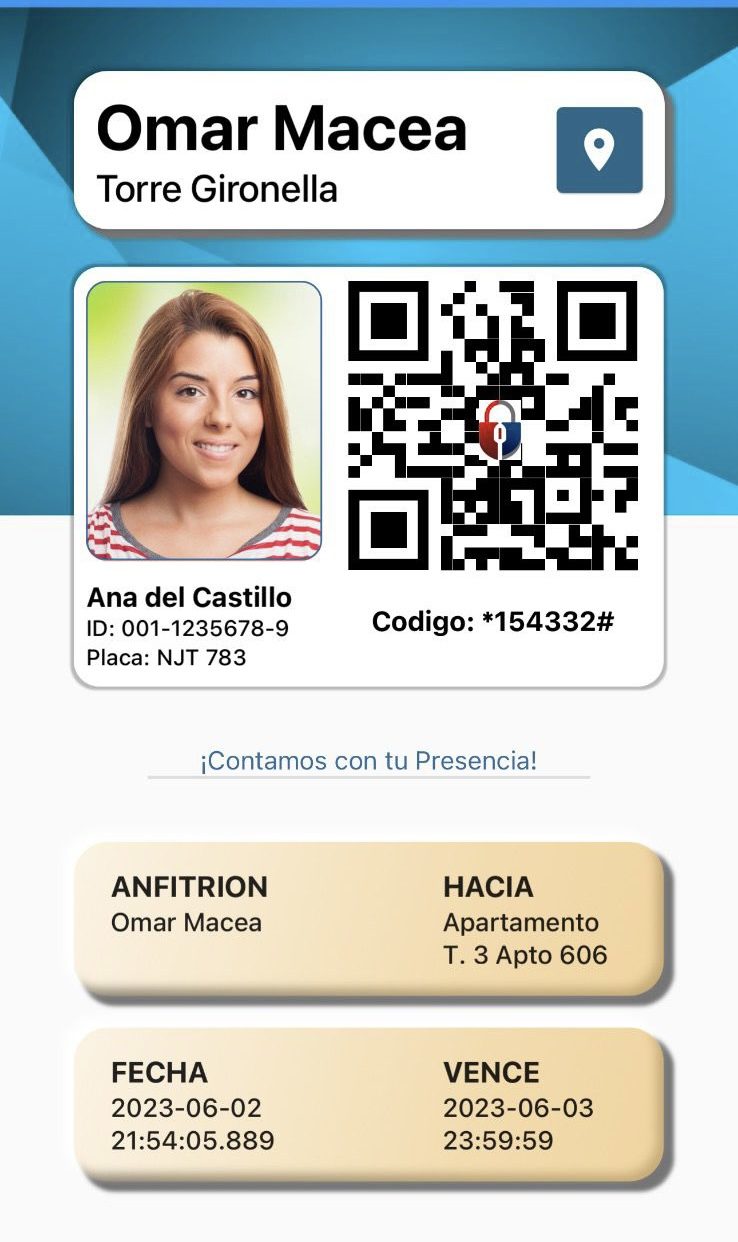
Your guest is on the way
How it works
Create a pass for one or several people right from the app.
Your guest gets the link on their phone and uploads a photo.
Security validates the QR code at the gatehouse or front desk.
Instant notification and a complete access record.
Try it here
Walk through the real flow: the invitation, the generated pass, and the scan at the gatehouse.
New invitation
Guest
Ana del Castillo
To
Tower 3, Unit 606
Valid until
Tomorrow, 11:59 pm
Send the pass
Features
More than a QR scanner: a complete platform to manage visitors, communication and shared amenities across residential communities, schools and companies.
Create passes with name, photo and validity. Guests receive them by link and show them at the gate or front desk.
The moment security scans a pass, the host gets an instant alert. No one comes in without you knowing.
Pool, gazebo or event hall: residents book from the app under the schedules and rules set by management.
Recurring passes for domestic staff, relatives or frequent suppliers, with allowed days and hours.
Petitions, complaints, claims and suggestions documented from the first report to management's response.
A direct channel between residents and management, with an optional community chat when the property decides to enable it.
Official notices that reach every resident in the app, with no flyers taped to the elevator.
Residents upload their maintenance payment receipt from the app and management validates it without emails or paperwork.
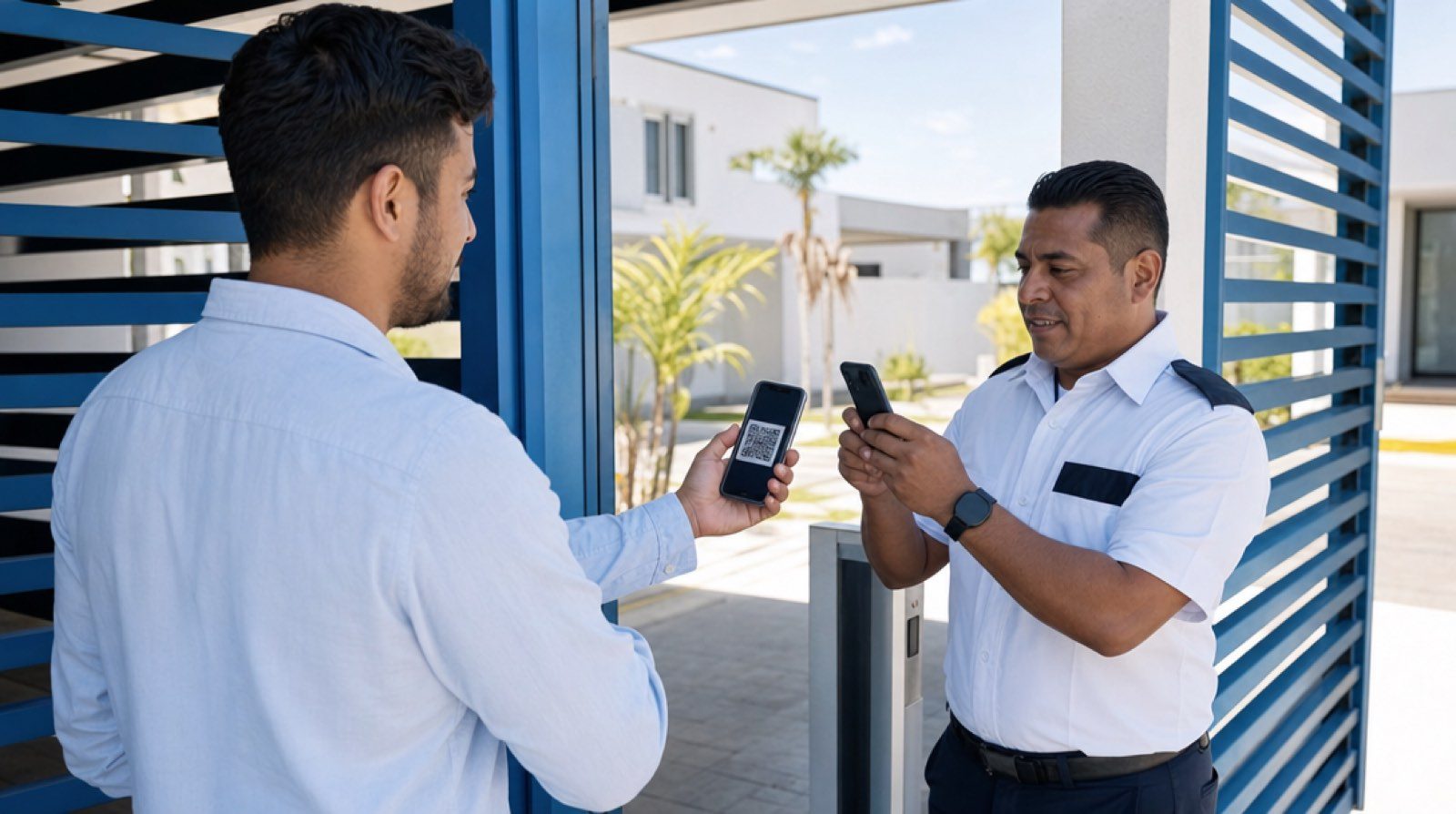
Verified scan at the gate
Why ArmorPass
Access control stops depending on a notebook or the guard's memory. Every movement is verified, backed up and visible to the right people.
Every entry has someone accountable: who invited, who scanned and at what time. When an incident happens, the answer is in the log, not in guesswork.
Guests download nothing: you share the link, they open their pass in the browser and show it at the entrance. Getting in takes seconds, not lines.
Rules, schedules and permissions are set from a single panel: who can invite, which amenities can be booked and how the community communicates.
Access logs are never erased or lost. The full history stays available for audits, claims or any later verification.
Sectors
QR visits, arrival alerts, chat with management, notices, and maintenance fee payments.
Learn more : ResidentialPickup passes with photo and ID of the authorized person. Every handoff is logged: who, when, and who picked up the student.
Learn more : SchoolsVisitors and vendors with host alerts, custom QR codes for events, and access audit trails.
Learn more : CorporateThis is what ArmorPass does today. Every point can be seen working in a demo.
Frequently asked questions
Straight answers to what property managers, school directors and boards ask before adopting ArmorPass.
Have another question? Write to us and we will answer
The pass also works printed or shown from the host's phone. Security can additionally register the visit manually in the app with the resident's authorization, and the access is documented all the same.
The security app runs on any connection: the gatehouse wifi or the guard's mobile data as a backup. With a minimal connection, scanning and logging keep working normally.
Each pass is unique, has a limited validity and is tied to the visitor's name and photo. A pass that is expired, already used or does not match the person is rejected at the moment of scanning.
Each guard signs into the app with their own user. The log records who scanned every access and at what time, so traceability holds even as staff rotate shifts.
Days, not months. We set up the property, load the residents and install the app at the gate or front desk. Our team supports the launch and trains your staff.
No. Visitors receive a link, open their pass in their phone's browser and show it at the entrance. Only residents, management and security use the app.
ArmorPass works in residential communities, schools and companies. Each sector has its own flows: residential visits, safe student pickup with the authorized person's photo, and corporate visitor and supplier control.
Management defines the permissions. Each resident sees only their own visits, while management and security access the property's full history according to their role.
Available for iOS and Android. Managing a residence, school, or company? Request your free trial.

Scan to download
iOS and Android